Meta’s advertising platform has quietly crossed a line over the last few years. AI is no longer just assisting with bidding or delivery in the background — it now actively shapes who sees your ads, where they appear, how creatives are assembled, and how budgets move.
For many advertisers, this shift hasn’t felt like a single update. Instead, it’s shown up through unexpected behavior: campaigns behaving differently after duplication, creative variations running that weren’t explicitly approved, or performance changing without a clear reason. These aren’t isolated incidents — they’re a direct result of how deeply automation is now embedded into Meta ad accounts.
Understanding where AI operates — and how to manage it — has become essential.
How Meta’s AI Actually Operates Inside Ad Accounts
Meta’s AI isn’t one feature you turn on or off. It’s a system that works across multiple layers of the platform.
At the campaign level, tools like Advantage+ influence how audiences are expanded, how budgets are allocated, and how delivery is optimized. Even when advertisers provide targeting inputs, the system increasingly treats them as guidance rather than strict constraints.
At the placement level, AI continuously evaluates where ads should appear across Facebook, Instagram, Stories, Reels, and other surfaces. Decisions are made based on predicted engagement and conversion probability, not necessarily on where advertisers expect their ads to show.
Creative is another major area of automation. With Advantage+ Creative enabled, Meta can dynamically pair headlines, primary text, and images, crop or reformat visuals, and in some cases generate entirely new variations. While this can help identify winning combinations, it also introduces risk when messaging or brand tone needs to stay tightly controlled.
Finally, AI influences how audiences and budgets evolve over time. Delivery may expand beyond selected audiences, or spend may be shifted toward areas Meta believes will perform better — often without clear explanation.
The Real Problems Advertisers Are Running Into
As these AI systems have become more aggressive, a pattern of issues has emerged across agencies and in-house teams.
One of the most common frustrations is that AI features re-enable themselves. Advertisers turn off creative automation or Advantage+ settings, only to find them switched back on later — often after duplicating ads, editing campaigns, or following account updates. This creates a constant need to re-audit settings just to ensure campaigns are running as intended.
Duplication has become a particular pain point. Many advertisers have noticed that when an ad is duplicated, AI features that were disabled in the original are automatically enabled in the copy. This can trigger creative combinations that don’t align with the original headline or messaging strategy, leading to mismatched ads going live without obvious warnings.
Another issue is the introduction of unapproved creative variations. While AI-generated assets are meant to improve performance, advertisers have reported visuals and copy combinations that feel off-brand, inaccurate, or overly generic. In some cases, teams only realized these versions were live after noticing performance changes or client feedback.
Adding to the challenge is a lack of transparency. Meta’s automation often behaves like a black box. Budgets shift, audiences expand, and placements change — but advertisers aren’t always shown why those decisions were made. This makes troubleshooting difficult and turns optimization into guesswork rather than informed decision-making.
Performance volatility is another side effect. AI-driven campaigns can produce sudden spikes or drops in metrics like CPA or ROAS. Without clear insight into what the system is prioritizing, it becomes hard to tell whether performance changes are meaningful or just the algorithm chasing short-term signals.
These problems tend to be amplified for smaller budgets or niche audiences. Automation works best when there’s a large volume of clean data. When signal is limited, AI often defaults to cheaper engagement rather than high-quality outcomes.
How to Use Meta’s AI Without Letting It Run You
The solution isn’t to reject automation entirely. Meta’s AI can be powerful when used intentionally. The key is control through awareness.
Regular audits are critical. Advertisers can no longer assume that settings remain unchanged over time. Before launching campaigns — and especially after duplicating ads — it’s important to recheck automation toggles, creative enhancements, placements, and audience expansion settings.
Clear boundaries also matter. If creative control is important, AI enhancements should be explicitly disabled and verified. If automation is being used, it should be treated as a testing layer rather than a final authority on messaging.
Many experienced teams separate their approach entirely. Manual campaigns are used for brand-sensitive messaging and precision control, while AI-enabled campaigns are reserved for exploration and scale. This separation makes performance easier to interpret and limits unintended overlap.
Most importantly, advertisers need to compare outcomes rather than assume automation is helping. Manual vs AI-driven campaigns, controlled vs automatic placements, original vs AI-modified creative — these comparisons reveal where automation adds value and where it introduces noise.
Final Thought: AI Should Support Strategy, Not Replace It
Meta’s direction is clear. AI will continue to play a bigger role in how ads are delivered, optimized, and scaled. But automation without oversight creates risk — not efficiency.
The advertisers who succeed aren’t the ones who blindly accept every new AI feature. They’re the ones who understand where AI operates, when to use it, and when to pull back.
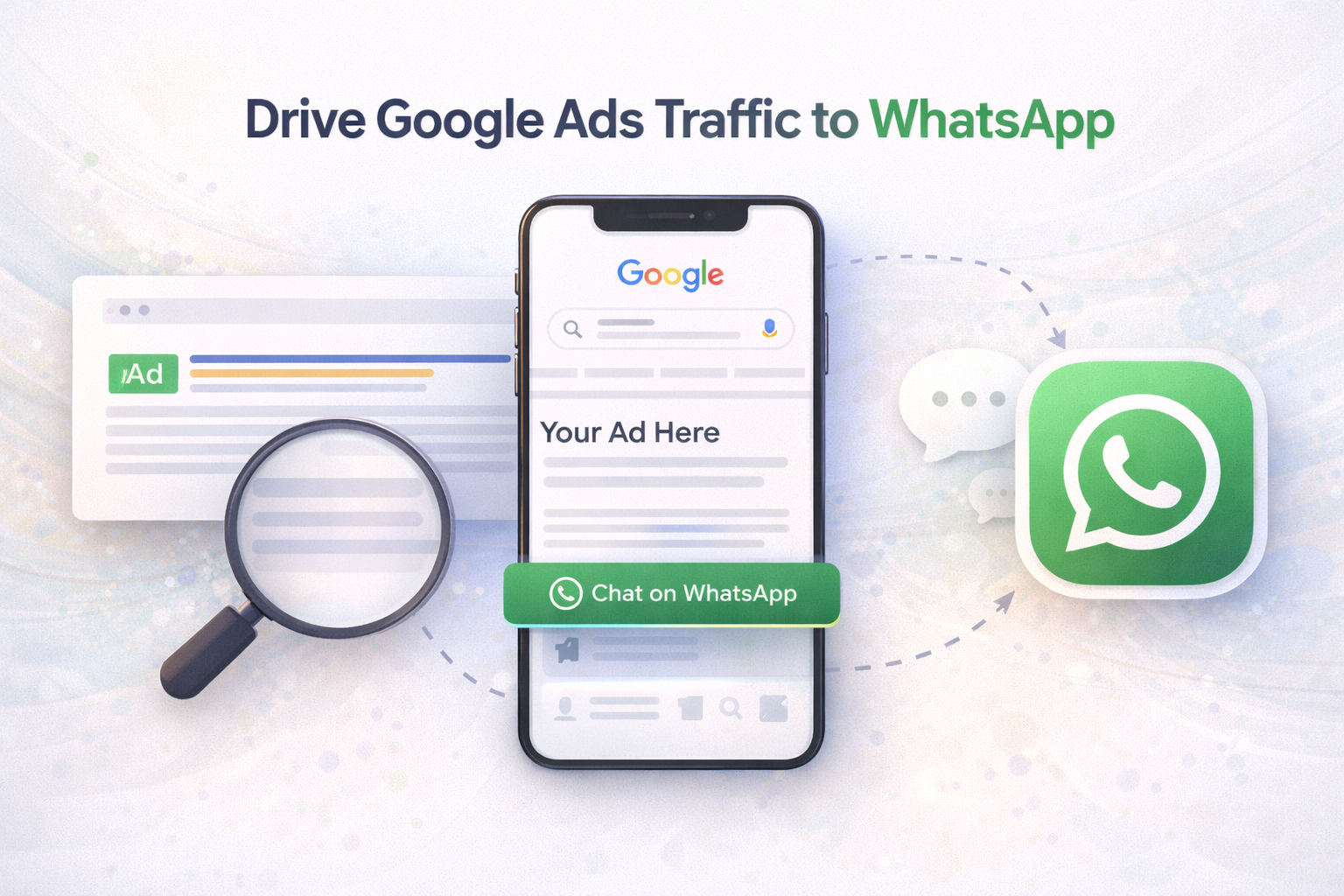
You can now use Google Ads to drive users directly into a WhatsApp chat, similar to “Click to WhatsApp” on Meta. This happens through Message assets (WhatsApp) or by using a direct wa.me link as your final URL.
Why Opt for Click-to-WhatsApp Advertising on Google?
Traditional online ads often send users to landing pages, where they may lose focus or drop off. Click-to-WhatsApp ads from Google create a direct conversation, offering clear benefits:
Better Engagement: WhatsApp is personal and instant, encouraging active conversations instead of passive browsing.
Improved Conversions: Real-time chats help answer questions quickly and move users closer to a decision.
Enhanced Customer Experience: Instant replies and personalized support build trust and ease the customer journey.
Quick Lead Qualification: Sales teams can identify serious leads faster through direct messaging.
Cost-Efficient Results: High-intent conversations often deliver a better ROI than traditional search ads.
Where does Whatsapp CTA show in Ads ?
Message Assets enable a WhatsApp ‘Chat now’ button to appear alongside your Google search ad
How to Direct Google Ads Traffic to WhatsApp
There are two primary methods to send users from Google Ads directly into a WhatsApp chat. Below are both approaches:
Option 1 (Recommended): Use the Message Asset
This method lets you add a message button to your ad that opens a WhatsApp conversation instantly. It’s best for a fast and easy setup fully managed within Google Ads.
Steps:
Log in to your Google Ads account.
From the left menu, navigate to Campaigns > Assets.
Create a new Message asset.
Set up:
Your WhatsApp Business number
A pre-filled greeting message A strong call-to-action (e.g., “Chat with us on WhatsApp”)
Save and assign the asset to your account, campaigns, or specific ad groups.
Option 2: Use a Click-to-WhatsApp Link
For more flexibility or a quicker setup, you can create a direct WhatsApp link and use it as the final URL in your ad. This approach doesn’t require extra assets in Google Ads, but you should carefully follow technical and policy guidelines.
What are the most common mistakes people make in Google Ads today?
Over the past year, I have worked closely with dozens of Google Ads clients through coaching calls. Across all of those accounts, the same problems kept showing up again and again.
When I looked back at everything I had helped clients fix, four major themes stood out. These are the issues that cause the most wasted spend, confusion, and frustration in Google Ads accounts.
Let’s break them down and talk about how to avoid them.
1. Foundational Failures: Conversion Tracking and Data Problems
The most serious and most common issue I see is broken or incorrect conversion tracking.
This includes:
No conversion tracking at all
Counting page views as conversions
Tracking actions that do not actually matter to the business
This is the number one silent killer of Google Ads performance.
If your data is wrong, every decision you make after that is based on bad information.
How to avoid this problem
Track real actions
Make sure your conversions represent real business value, such as form submissions, purchases, or booked calls. Page views are not conversions.
You can check this inside Google Ads by adding the “Conversion action” segment to your campaign view and seeing what is included in the Conversions column.
Question numbers that look strange
If results look too good or too bad, do not trust them blindly. A campaign with zero conversions might actually be working, but tracking could be broken. A campaign with a 50 percent conversion rate is probably counting actions that should not be conversions.
Look outside Google Ads
Always compare Google Ads data with other tools like Google Analytics, Shopify, or your CRM. One platform alone never tells the full story.
2. Strategic Sloppiness: Keywords and Campaign Structure
There is no single perfect way to structure a Google Ads account, but there are smart principles you can follow.
Many mistakes come from poor keyword grouping, overly complex structures, or choosing aggressive strategies too early.
How to avoid this problem
Group keywords by intent
Each ad group should focus on one clear theme. A good rule is 5 to 15 closely related keywords per ad group.
For example:
Residential cleaning and commercial cleaning should be separate
Home cleaning and residential cleaning can usually live together
The same logic applies to audiences. If the intent is different, separate it.
If you are small, start conservative
For smaller budgets or newer accounts, exact match keywords usually perform better than broad match. Broad match needs strong data and budget to work well.
Check search terms often
Review your search terms report every week. If you see irrelevant searches, do not rush to add negatives right away. First ask why it is happening. The issue could be keyword choice, bid strategy, or match type. Fix the root problem, then add negatives if needed.
3. Metric Misinterpretation: Not Knowing What the Numbers Mean
Many Google Ads problems happen because people try to fix the wrong thing.
This usually comes from not understanding how metrics connect to each other.
How to avoid this problem
Check the basics first
If click-through rate or cost per click suddenly looks terrible, always check:
Display Network inside Search campaigns
Search Partners inside Search campaigns
These settings are still accidentally left on far more often than they should be.
Use clear logic when performance changes
When CPA or ROAS suddenly changes, slow down and think logically.
If CPA goes up, only two things can be true:
Cost per click went up
Conversion rate went down
Find which one changed first, then investigate why that happened. This keeps you from wasting time guessing.
Ad quality always matters
There is a lot of confusion around Quality Score. The number from 1 to 10 is a diagnostic tool, not a direct auction input. But ad quality itself absolutely affects ad rank and cost.
Better ads and better landing pages lead to:
Lower costs
Better positions
Better performance
You should focus on improving relevance, messaging, and landing page experience, not chasing a number.
4. Unreasonable Expectations: Budgets, Growth, and Pressure
Another common issue has nothing to do with settings. It comes from pressure.
Clients, managers, or stakeholders often want changes simply because performance looks flat, even when nothing is actually broken.
How to avoid this problem
Educate the people around you
Part of managing Google Ads is explaining how it works. This includes conversion delays, seasonality, and normal ups and downs. Avoid making changes just to look busy.
Understand that opportunity has limits
Search ads only show when people search. If you already have high impression share on your core keywords, increasing budget alone will not create growth. It usually just raises costs.
To scale, you need an expansion plan. This could mean new keywords, broader targeting, or testing campaigns like Demand Gen.
What This All Means for You
The biggest shift successful Google Ads managers make is moving away from reactive changes and toward thoughtful, data-based decisions.
Think of your Google Ads account like a house.
If the foundation is broken, everything else falls apart. Conversion tracking is the foundation. Keywords and audiences bring the right people in. Ads invite them inside. The website helps them take action.
When each piece works together, your campaigns can finally do what you need them to do.
I recently had a Google Ads coaching call with Daniela, who was stepping into a new role as head of paid search at her agency. We were reviewing a new Search campaign she had launched for a client in the health space.
The campaign had been running for six weeks and had zero conversions.
When a campaign is not converting, the problem usually comes from one of three places:
Conversion tracking is broken
You are bringing the wrong people to the website
You are bringing the right people, but the website is not converting them
We quickly confirmed that tracking was working. That meant the issue had to be traffic quality, so we opened the search terms report to see what people were actually searching before clicking the ads.
Red Flag #1: A Click-Through Rate That Is Too High
At first, everything looked fine. The top search terms were relevant, and the overall click-through rate looked strong.
Then I noticed something that immediately raised concern.
One of the top non-brand search terms had a 75% click-through rate.
That simply does not happen in a competitive industry on Google Search.
This made me suspect that Search Partners were turned on. Daniela was surprised, but when we segmented the data by network, the answer was clear.
Search Partners were active and were using about half of the campaign’s budget.
That explained everything.
The campaign was using Manual CPC bidding, which focuses on getting the cheapest clicks possible. When Search Partners are enabled, Google often finds those cheap clicks on low-quality partner sites. These clicks can look great on paper, but they usually do not convert.
High clicks. Low quality. No conversions.
The Fix
Daniela turned off Search Partners right away.
I also recommended switching from Manual CPC to Maximize Conversions. Even without conversion data yet, this change helps Google focus on higher-quality traffic coming directly from Google Search, instead of cheap clicks from questionable placements.
Red Flag #2: A View-Through Rate That Is Too High
Later in the call, we reviewed a different client’s YouTube campaign.
Once again, a metric jumped out.
The in-stream ads had a 70% or higher view-through rate.
That sounds amazing, but for most video view campaigns, it can actually be a warning sign. My normal benchmark for in-stream ads is around 30 to 40 percent.
So we started investigating.
We checked the placements report to make sure the ads were not running heavily on kids content. Kids rarely skip ads, which can inflate view rates. The placements looked good and were mostly quality news channels.
We checked audience targeting and confirmed we were only using specific custom segments and remarketing lists. No broad or optimized targeting. That looked fine.
Then we checked demographics.
That is where we found the answer.
The largest group watching the ads was 65 years and older.
What looked like a red flag turned out to be a very good sign.
This client was specifically trying to reach a retirement audience. When we stopped thinking only about benchmarks and started thinking like real people, it made perfect sense. Older viewers are much more likely to watch YouTube ads instead of skipping them.
The Real Lesson Behind the Numbers
This was my first call with Daniela, and it turned into a great example of the most important Google Ads skill you can develop.
Understanding why your metrics look the way they do.
In one campaign, a very high click-through rate helped us uncover low-quality traffic that was killing conversions. In another campaign, a very high view-through rate confirmed we were reaching exactly the right audience.
What You Can Learn From This
If your metrics ever look too good or too bad, do not just accept them at face value. Use them as a signal to investigate.
Here is what to do:
Build Your Own Benchmarks
Start learning what normal looks like for your accounts. CTR, CPC, VTR, and conversion rate will vary by industry and campaign type. When something is far outside the norm, dig deeper.
Keep Questioning the Problem
It would have been easy to assume the website was the issue because conversions were zero. Instead, we kept asking questions until we found the real cause. Search Partners were active even though the team thought they were not.
Be Careful With Click and View Based Bidding
Google Ads will do exactly what you ask. If you tell it to get cheap clicks, it will find them. If you tell it to get cheap views, it will find those too. Cheap does not always mean good. Always think about where those clicks or views might be coming from.
Metrics are not good or bad on their own. They only become useful when you understand the story behind them.
YouTube is becoming a much bigger part of Google Ads, so if it’s not in your advertising plan yet, it probably should be.
I recently had a coaching call with a client who works at an agency. She leads paid search for her team, and they’re very strong with Search campaigns and Performance Max. But they were about to launch their first-ever YouTube video campaign for a client.
Before the campaign went live, she asked me to review their setup. When I looked through it, I noticed three very common mistakes that businesses often make when they’re new to YouTube advertising.
The good news? We fixed all of them before launch. Below, I’ll walk you through those same mistakes so you can avoid them too.
Mistake #1: Splitting Audiences Too Much
When you’re starting with YouTube ads – especially if you have a smaller budget – it’s usually better to combine audiences instead of separating them.
If you’ve run Meta (Facebook or Instagram) ads before, you might be used to putting one audience in each ad group. That makes sense there. But Google Ads works differently.
In Google Ads, you can put multiple audiences into the same ad group and still see how each audience performs on its own.
So if:
You’re using the same video
You’re sending traffic to the same landing page
Then those audiences should usually live in one ad group, not many.
In my client’s account, they had:
Multiple video campaigns
Each campaign had many ad groups
Every ad group used the same video but only one audience
This spreads the data too thin. Google learns more slowly because each ad group has very little information.
We combined the audiences into one ad group. That way, all the data goes into one place, helping Google learn faster and improve results sooner.
Simple rule:
👉 Keep audiences together, not split apart.
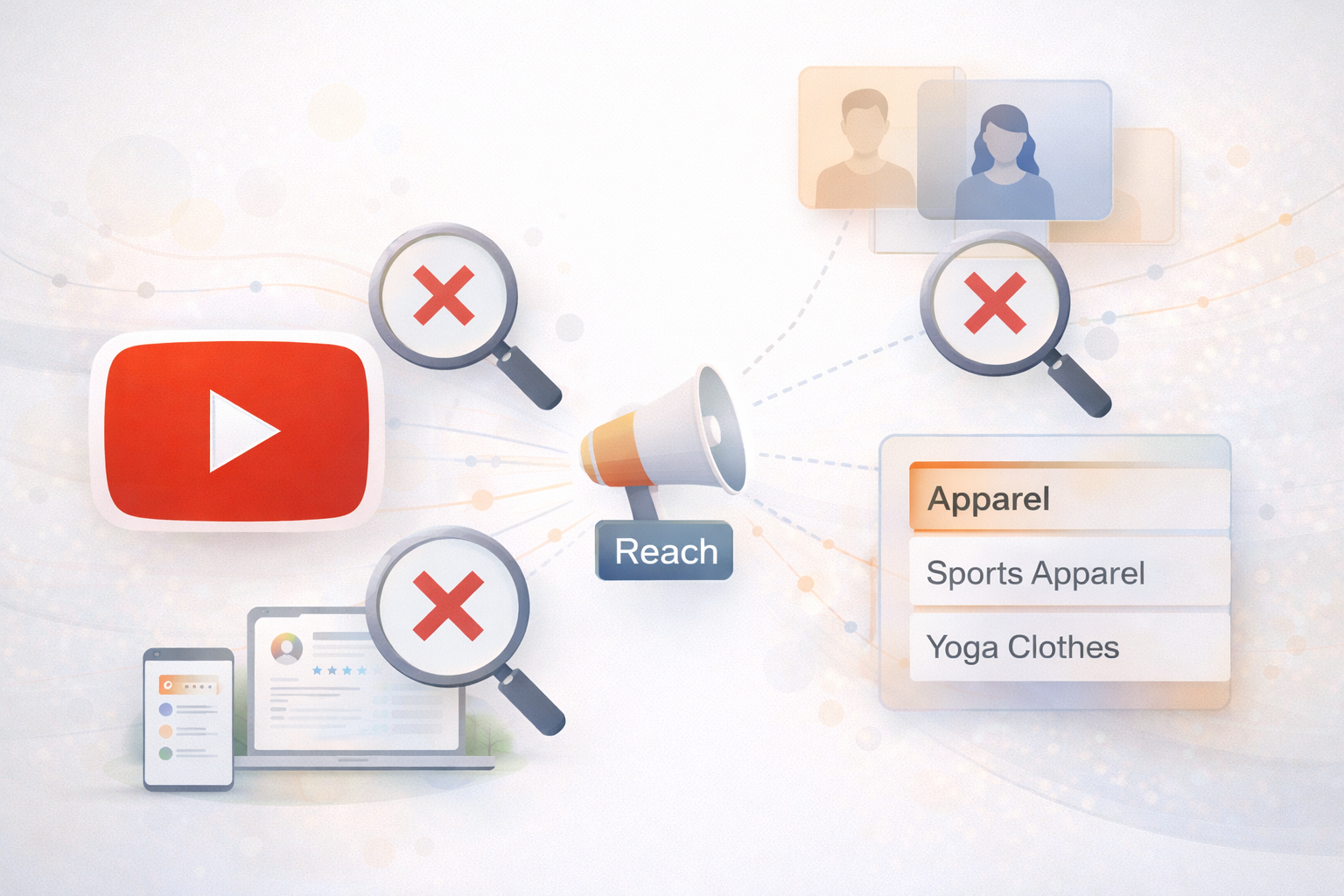
Mistake #2: Starting with a “Reach” Campaign
The second mistake was choosing a Reach goal for their first video campaign.
When you create a YouTube campaign, you usually choose between:
Reach (show ads to as many people as possible)
Views (get people to actually watch your video)
If you’re new to YouTube ads or working with a smaller budget, I almost always recommend starting with Video Views.
Here’s why:
With a video views campaign, you only pay when:
Someone watches at least 30 seconds of your video, or
They watch the entire video (if it’s shorter)
That means you’re paying for real attention, not just exposure.
Another big advantage is remarketing.
With video views, you can:
Show ads again to people who watched your video
This is powerful because you can follow up with people who already showed interest.
With reach campaigns, ads are often unskippable. That means:
People don’t choose to watch
There are no “views,” only impressions
You cannot remarket to those users later
Reach campaigns can be useful, but they’re not ideal when you’re just getting started and want to build warm audiences.
Simple rule:
👉 Start with Video Views, not Reach.
Mistake #3: Choosing Audiences That Are Too Broad
The third mistake is very common in YouTube and other audience-based campaigns:
Choosing broad categories instead of specific ones.
Here’s an example.
Let’s say you want to reach people who want to buy yoga clothes.
You might see audience options like:
In-market for Apparel (very broad)
In-market for Sports Apparel (more specific)
In-market for Yoga Clothes (very specific)
If you choose “Apparel,” you’re targeting:
Yoga shoppers
People buying jeans
People shopping for jackets
And everything else
That’s not very focused.
It’s usually better to choose the most specific option available, like “Yoga Clothes.”
One important tip:
If you choose the specific audience (Yoga Clothes), do not also choose the broader ones (Sports Apparel or Apparel).
Why? Because the same person can belong to all three groups. When that happens, Google can only credit their view or impression to one audience, which makes your data messy and harder to understand.
Simple rule:
👉 Pick the most specific audience and avoid overlapping categories.
Key Takeaways
Here’s a quick summary you can use when setting up your next YouTube campaign:
Combine audiences if you’re using the same video and landing page
Start with Video Views campaigns, especially with smaller budgets
Choose specific audience categories, not broad ones
Don’t target parent and child audiences at the same time
These are some of the most common mistakes people make when starting with YouTube ads. Fixing them early can make a big difference in performance – and save you a lot of wasted budget.
If you avoid these three issues, you’ll give your YouTube campaigns a much better chance of success.
If your Meta ads are targeting the wrong audience — whether by age, gender, or geography — it’s rarely a targeting mistake.
It’s a signal problem.
Meta’s ad delivery system doesn’t strictly follow demographic and geographic inputs. Instead, it optimises based on which users are most likely to complete your selected conversion event.
When that event is misaligned, Meta ads start showing to the wrong demographics and locations.
Why Meta Ads Show to the Wrong Demographics and Locations
1. Conversion signals are too broad
When advertisers optimise for low-intent events like clicks or basic leads, Meta learns to find volume — not quality.
This causes delivery to skew toward:
Cheaper age groups
Low-intent user segments
Less relevant audiences
2. Broad targeting without quality signals
Broad targeting can work — but only when Meta is trained on meaningful outcomes.
Without strong signals, Meta expands delivery aggressively, often reaching irrelevant demographics just to satisfy optimisation goals.
3. Geographic bias toward low-cost regions
Meta prefers locations where conversions are cheaper.
If all conversions are treated equally, Meta ads will prioritise cheaper geographies over high-value markets.
4. Weak tracking and data loss
Privacy changes have increased Meta’s reliance on modelling.
Incomplete tracking, missing server-side events, or poor event mapping increases guesswork — and guesswork leads to poor audience quality.
Why Fixing Targeting Usually Makes Meta Ads Worse
Tightening demographics, excluding locations, or stacking interests often restricts learning and reduces optimisation efficiency.
The issue isn’t who you target.
It’s what you train Meta’s algorithm to optimise for.
How to Fix Meta Ads Targeting the Right Way
Optimise for high-quality conversion events
Send value-based and downstream signals
Let geography correct itself through performance data
Improve tracking accuracy and event alignment
Avoid reacting too early during learning phases
When signals are clean, Meta ads naturally stabilise delivery.
Frequently Asked Questions
Why are my Meta ads showing in the wrong locations?
Because Meta optimises toward cheaper conversions when value signals aren’t differentiated.
Why are Meta ads reaching the wrong age groups?
Because the algorithm follows conversion probability, not demographic intent, when signals are weak.
Final Thought
Meta doesn’t optimise for the audience you want.
It optimises for the outcomes you reward.
Fix the reward system — and the right users follow.
For a long time, Meta advertising followed a predictable formula.
You defined interests, built lookalikes, split audiences into neat buckets, tested headlines and creatives in isolation, and scaled what worked. That system rewarded precision and control.
That system no longer exists.
Meta hasn’t just updated its algorithm — it has fundamentally changed how it understands audiences, creatives, and intent. If you’re still running ads the way you did a year or two ago, you’re not just leaving performance on the table — you’re actively working against the platform.
This is what’s changed, and how smart advertisers are adapting in 2026.
The Shift: From Control to Collaboration
The biggest mistake advertisers make today is assuming they still “control” Meta ads.
You don’t.
Modern Meta campaigns perform best when they are designed to collaborate with the algorithm, not constrain it. The platform no longer relies on the manual inputs you obsess over — interests, micro-audiences, and granular segmentation.
Instead, it learns from signals.
And the strongest signal you provide isn’t targeting — it’s creative.
Creative Is the New Targeting
Meta now uses creative performance to determine who your ads should be shown to.
This means:
The algorithm doesn’t need you to define the audience
It learns the audience based on who engages, watches, clicks, and converts
Your creative teaches Meta what kind of person resonates with your message
In other words, creative has replaced targeting.
If your ads are generic, vague, or overly polished with no emotional clarity, Meta has nothing meaningful to learn from — and performance stalls.
Why Traditional Testing No Longer Works
Old-school testing focused on surface-level changes:
A new headline
A different CTA
A slight visual tweak
That kind of testing doesn’t help the algorithm anymore.
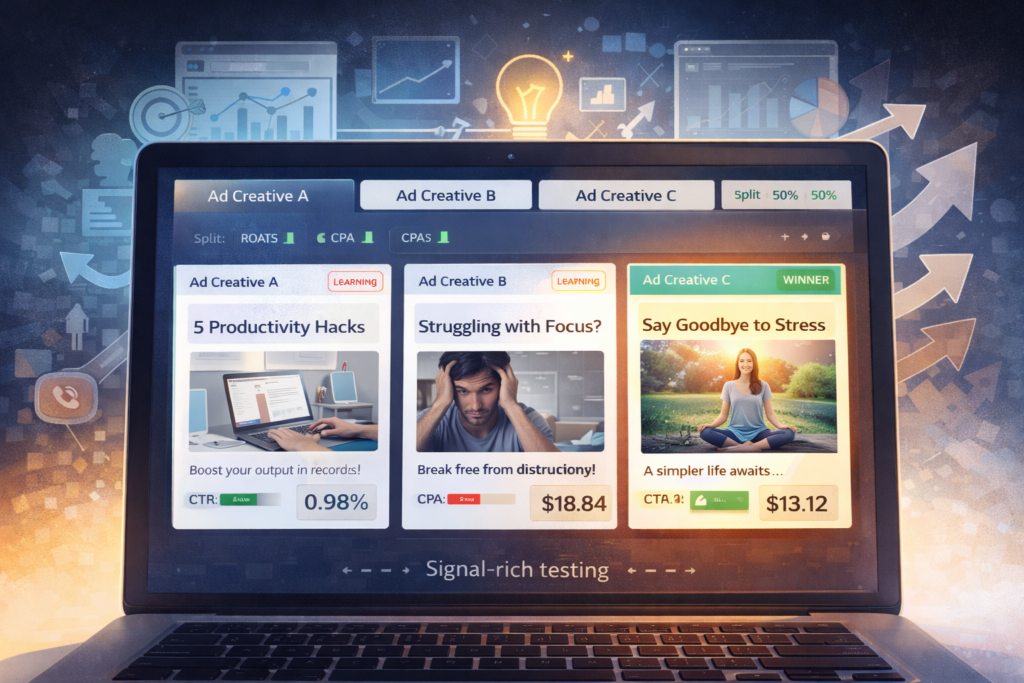
Modern testing needs to be intentional and signal-rich. Each variation should communicate a distinct angle, belief, or problem — not just a cosmetic difference.
Good testing today answers questions like:
Does this message resonate with awareness-level users?
Does this framing convert problem-aware users faster?
Does this narrative hold attention longer?
Testing is no longer about finding “the winner.”
It’s about helping the system learn faster and predict better outcomes.
Simplicity Beats Complexity
Another major shift: simpler account structures outperform complex ones.
Many advertisers still believe that more ad sets, more audiences, and more segmentation equals more control. In reality, it creates noise.
Meta performs best when:
Campaigns are consolidated
Budgets are concentrated
Creatives do the heavy lifting
When you over-segment, you starve the algorithm of data. When you simplify, you accelerate learning.
What Winning Meta Ads Look Like in 2026
Top-performing brands are aligning around a few core principles:
1.
Creative-First Strategy
Creatives are not decorative — they are strategic assets designed to generate clear behavioral signals.
Meta’s advertising platform has evolved rapidly over the last few years, with automation and artificial intelligence now at the core of how campaigns are delivered and optimised. One of the most important systems driving this shift is Andromeda, Meta’s large-scale AI engine responsible for ad ranking and delivery across Facebook and Instagram.
Understanding how Andromeda works—and how to design campaigns that align with it—has become essential for brands looking to achieve sustainable performance from Meta ads.
What Is Andromeda in Meta Advertising?
Andromeda is Meta’s AI-driven ad ranking and delivery system that determines:
Which ad is shown
To which user
At what moment
Across which placement
Instead of relying primarily on manual targeting or rigid optimisation rules, Andromeda evaluates billions of real-time signals to predict the likelihood of a specific ad achieving a desired outcome, such as a lead, purchase, or engagement.
This system powers delivery across Facebook, Instagram, Reels, Stories, and other placements, enabling cross-platform optimisation at scale.
Why Andromeda Matters in a Post-Privacy Advertising Landscape
With reduced access to user-level data due to privacy updates and platform changes, Meta has shifted toward probabilistic and modelled decision-making. Andromeda is built specifically for this reality.
By analysing large-scale behavioural patterns rather than relying on perfect tracking, it allows campaigns to continue optimising even when data is incomplete or delayed.
For advertisers, this reinforces an important shift: performance is no longer driven by micro-targeting, but by how well the system is trained through inputs.
How Andromeda Changes Campaign Structure and Optimisation
One of the most noticeable impacts of Andromeda is how it rewards simpler, less fragmented campaign structures.
Traditional approaches often relied on:
Highly segmented audiences
Multiple overlapping ad sets
Heavy manual intervention
In contrast, Andromeda performs best when it has sufficient data volume and freedom to learn. Fewer campaigns and clearer conversion signals allow the system to allocate spend more efficiently.
Creative and Copy: The Primary Performance Lever in Andromeda-Led Campaigns
With the latest updates to Meta’s ad delivery system, creative and ad copy now play a disproportionately large role in performance.
As targeting and delivery become more automated, Andromeda increasingly differentiates ads based on how users respond to the message, visual, and clarity of the offer.
This makes it critical for creatives and copy to be:
Clear and succinct
Immediately understandable within the first few seconds
Aligned with a specific user pain point or intent
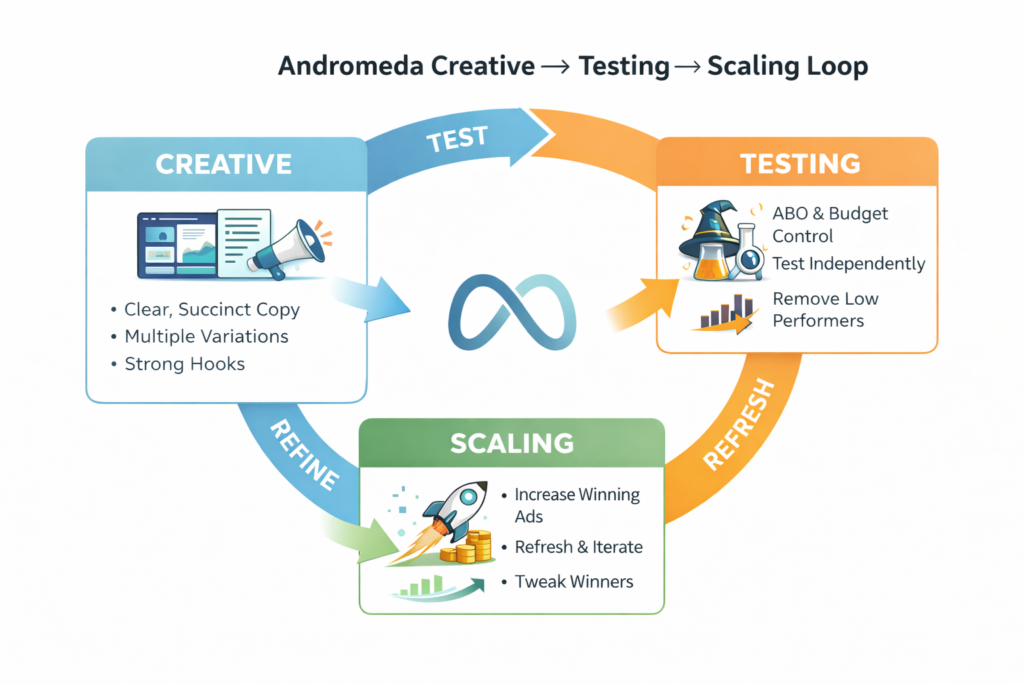
Just as important, creatives cannot remain static. High-performing accounts follow a structured creative refresh cycle, where:
Winning creatives are identified early
Variations of those winning creatives are refreshed and reintroduced
Messaging is iterated without changing the core hook
Tracking which creatives are performing—and why—becomes essential. The goal is not to constantly reinvent ideas, but to systematically evolve what already works.
Managing Creative Fatigue and Underperforming Ads
Not every creative will perform well, and in Andromeda-led campaigns, some ads may get overshadowed by stronger performers before they have enough opportunity to be fairly evaluated.
A practical approach is to:
Move under-delivering creatives into a separate ad set
Allocate them dedicated budget and time to test independently
Assess performance without competition from top-performing ads
If these creatives still fail to generate meaningful results, they can be confidently discontinued. This ensures that decisions are based on data, not premature judgement.
This disciplined approach prevents potentially strong ideas from being buried too early, while also keeping the overall system efficient.
Why ABO Often Works Better Than CBO for Creative Testing
While Meta promotes Campaign Budget Optimisation (CBO), Ad Set Budget Optimisation (ABO) often provides better control during the creative testing phase.
ABO allows advertisers to:
Allocate budget evenly across ad sets
Ensure each creative receives sufficient spend to generate learnings
Avoid premature budget skew toward early winners
This is particularly important when testing new messaging angles or formats. By using ABO, teams can give each creative a fair opportunity to perform before making optimisation decisions.
Once winning creatives and patterns are established, budgets can then be consolidated and scaled more efficiently.
What This Means for Advertisers and Growth Teams
Andromeda signals a broader shift in Meta advertising—from manual optimisation toward system-led performance.
Teams that succeed in this environment are those who:
Think in terms of systems rather than isolated campaigns
Prioritise creative as a performance asset
Maintain clean conversion signals and tracking
Continuously feed the platform with high-quality inputs
Rather than attempting to control every variable, the focus shifts to designing a system that learns well.
Final Thoughts: Designing for AI-First Advertising
Andromeda represents Meta’s long-term direction: scalable, automated, and AI-driven. While this reduces the need for constant manual intervention, it increases the importance of strategic structure, creative discipline, and ongoing iteration.
For brands and agencies alike, success on Meta today depends on understanding how to work with the system—by supplying it with clear messaging, strong creatives, and thoughtful budget control.
Google Ads optimization in 2026 isn’t just important—it’s fundamentally different from anything we’ve seen before. With the introduction of agentic AI, autonomous campaign management, and unprecedented transparency in Performance Max, the line between human strategy and machine execution has shifted dramatically.
In 2025, Google launched powerful AI innovations including AI Max for Search, Ads Advisor, and Analytics Advisor, tools that now handle tasks that previously required hours of manual optimization. Average CPCs continue rising 15-20% year-over-year, but advertisers equipped with the latest AI-powered tools are achieving breakthrough performance that wasn’t possible even six months ago.
This comprehensive guide provides the complete Google Ads optimization framework for 2026—covering everything from AI Max implementation to agentic advisor integration, Performance Max transparency updates, and the evolved role of PPC strategists in an AI-first advertising landscape.
Why Google Ads Optimization Matters More in 2026
The advertising landscape has transformed beyond recognition. Three seismic shifts define the 2026 environment:
Agentic AI Has Arrived: Google’s Ads Advisor and Analytics Advisor, powered by Gemini models, now proactively manage campaigns directly within Google Ads and Analytics. These aren’t passive suggestion engines—they’re autonomous agents that diagnose issues, generate creative, and implement optimizations with minimal human intervention.
The Black Box Is Opening: Performance Max campaigns now include campaign-level negative keywords, channel performance reporting, and actual search term data—features advertisers demanded for years. The era of flying blind with automated campaigns is ending.
AI-Powered Search Dominance: AI Max for Search campaigns use broad match and keywordless technology to find relevant search queries that traditional keyword targeting would miss. Advertisers who activated AI Max see an average 14% lift in conversions, with some brands achieving double the conversion rate.
The bottom line: 2026 optimization isn’t about whether to use AI—it’s about orchestrating AI systems effectively. The strategists who thrive are those who understand how to guide, constrain, and enhance Google’s automation rather than fight it.
Google Ads Optimization Framework (2026)
Modern PPC optimization requires balancing AI automation with strategic human oversight across six key areas:
Optimization Area
Goal
Primary KPI
AI Integration
Review Frequency
AI Strategy & Setup
Configure automation correctly
Conversion Accuracy
Critical
Monthly
Campaign Architecture
Enable AI effectiveness
Quality Score, ROAS
High
Quarterly
Search & Intent Alignment
Feed AI quality signals
Cost per Conversion
High
Weekly
Creative & Messaging
Scale ad variations
CTR, Conversion Rate
Medium
Bi-weekly
Landing Page Experience
Convert AI-driven traffic
LP Conversion Rate
Medium
Monthly
Measurement & Attribution
Provide accurate feedback
Enhanced Conversion Lift
Critical
Daily
This framework reflects a fundamental shift: optimization now means optimizing the AI systems that run your campaigns, not just optimizing campaigns directly.
The AI-First Account Structure (2026)
Your account structure now determines how effectively Google’s AI can learn and optimize. Poor structure handicaps even the most advanced automation.
The Power Pack Strategy
Google introduced the Power Pack at Marketing Live 2025, combining Performance Max, Demand Gen, and AI Max for Search into an integrated campaign strategy. The framework works as:
Demand Gen: Creates awareness and interest across YouTube, Discover, Gmail, and Display
AI Max for Search: Engages users on Search to capture and convert intent
Performance Max: Orchestrates full-funnel performance at scale
2026 Naming Conventions
Update your naming system to reflect AI campaign types:
Full: All AI features enabled (AI Max, text customization, URL expansion)
Partial: Select AI features only
Manual: Traditional keyword control
Campaign Segmentation for AI Optimization
Network Segmentation: Keep campaign types separate to maintain data clarity:
AI Max for Search campaigns (keywordless + broad match)
Standard Search campaigns (phrase/exact match control)
Performance Max (full automation with product feeds)
Demand Gen (visual awareness campaigns)
Data Threshold Requirements: AI Max requires at least 30 conversions per month for optimal performance. Campaigns below this threshold should use manual or semi-automated bidding.
Conversion Action Architecture: Separate conversion actions by value:
Secondary: Engagement actions (add to cart, form starts)
Micro: Soft signals (page views, video views)
This tiered structure allows AI to optimize for what matters while learning from broader signals.
Account Structure Optimization Checklist
Item
2026 Best Practice
Implementation Check
AI Max Campaigns
Separate from standard Search for clean reporting
Verify AI Max identifier in campaign names
Negative Keywords
Shared lists at account level + campaign-specific
Confirm 10,000 keyword limit not exceeded
Enhanced Conversions
Enabled for web and leads with first-party data
Test SHA-256 hashing implementation
Conversion Actions
Primary, secondary, and micro tiers configured
Audit conversion values and attribution models
Ads Advisor Integration
Connected and learning from account history
Review advisor recommendations weekly
Budget Allocation
70% proven, 20% scaling, 10% testing
Analyze spend distribution by AI level
AI Max for Search: The New Optimization Paradigm
AI Max for Search represents Google’s most significant Search campaign upgrade, rolling out globally starting May 2025. It fundamentally changes how Search campaigns operate.
Three Core AI Max Features
1. Search Term Matching (Keywordless Technology)
AI Max uses broad match and AI-driven logic to match ads to semantically relevant queries not explicitly in your keyword list, while exact matches still take precedence.
Example: A campaign for “running shoes” might match to “best trail sneakers for hiking” automatically—capturing demand you’d miss with traditional targeting.
2. Text Customization (Dynamic Ad Generation)
Formerly called Automatically Created Assets, text customization generates new headlines and descriptions based on your landing page, ads, and keywords, with improved ability to feature clear CTAs and unique selling points.
3. Final URL Expansion (Smart Landing Page Selection)
AI Max can override your specified final URL if it identifies a more relevant page on your site for a given query, particularly useful for eCommerce sites with complex product catalogs.
AI Max Optimization Strategy
When to Enable AI Max:
✅ Campaigns with 50+ conversions monthly
✅ Stable conversion tracking for 30+ days
✅ Sites with 10+ quality landing pages
✅ Budgets sufficient for learning periods ($50+/day)
L’Oréal saw 2X higher conversion rates and 31% lower CPA after adopting AI Max, finding conversions from entirely new search queries like “what is the best cream for facial dark spots”.
The key insight: AI Max doesn’t replace keyword strategy—it amplifies it by finding adjacent demand you couldn’t manually discover.
Performance Max: From Black Box to Transparent Powerhouse
2025 marked Performance Max’s transparency revolution with campaign-level negative keywords, channel performance reporting, and search term insights—the three most requested features since PMax launched.
The Breakthrough Updates
Campaign-Level Negative Keywords
Advertisers can now add up to 10,000 negative keywords per campaign, available globally after years of requests. Keywords block Search and Shopping inventory (but not Display, YouTube, or Discover).
Implementation impact: One sporting goods advertiser reduced costs 15% immediately by adding “free” and “used” as negatives to stop showing for unprofitable queries.
Channel Performance Reporting
The new Channel Performance tab breaks down PMax results by specific channels including Search, Shopping, Display, Discover, Gmail, and YouTube, showing impressions, clicks, cost, and conversions per channel.
This transparency enables strategic decisions:
Identify which channels drive conversions vs. just impressions
Adjust creative assets based on channel performance
Allocate budgets informed by actual channel contribution
Search Term Reporting
Performance Max now provides true search term reports similar to standard Search campaigns, showing actual queries triggering ads. Like Search campaigns, some queries remain hidden in “Other search terms,” especially with keywordless targeting.
Performance Max Optimization Workflow (2026)
Weekly Optimization Process:
Review Channel Performance (15 min)
Identify top-converting channels
Check for unexpected channel spending
Compare channel CPA to account target
Analyze Search Terms (20 min)
Export search term report
Add 10-15 negative keywords
Flag high-converting terms for dedicated campaigns
Asset Performance Review (15 min)
Check asset-level reporting (new in 2025)
Pause underperforming assets
Upload fresh creative based on top performers
Audience Signal Updates (10 min)
Review audience segment performance
Upload fresh Customer Match lists
Update high-value customer signals
Performance Max Advanced Features (2026)
Feature
Capability
Use Case
High-Value New Customer Mode
AI predicts and bids higher for valuable new customers
Brands with repeat purchase models
Age/Gender Exclusions (Beta)
Exclude specific demographics at campaign level
Remove low-intent age brackets
Device Targeting (Beta)
Customize bids by computer, mobile, tablet
Optimize for device-specific conversion rates
Brand Exclusions (Refined)
Separate exclusions for Search text vs. Shopping ads
Manage branded traffic strategically
Search Themes Usefulness
Indicator shows if themes drive incremental traffic
Test and optimize search theme effectiveness
PMax + AI Max Integration
The most advanced 2026 strategy combines PMax for full-funnel reach with AI Max for Search precision:
PMax: Handles discovery, YouTube, Display, Shopping with broad signals
AI Max Search: Captures high-intent search traffic with AI-enhanced relevance
Standard Search: Maintains exact control for brand, competitors, top performers
This tri-campaign structure gives you automation breadth with strategic precision.
Demand Gen: The Visual Awareness Powerhouse
Demand Gen replaced Discovery and Video Action Campaigns in 2025, expanding reach to YouTube Shorts, In-stream, Discover, Gmail, and Google Display Network.
Why Demand Gen Matters in 2026
Demand Gen advertisers saw on average over 20% increase in conversions or conversion value in first half of 2025 across more than 100 feature launches.
The campaign type excels at:
Reaching users before they actively search
Building brand awareness with visual storytelling
Capturing attention on YouTube (3B+ monthly active users)
Driving consideration with multi-format creative
Demand Gen 2026 Feature Highlights
AI Image and Video Enhancements
AI automatically creates and optimizes additional versions of your ads to help campaigns scale effectively, with image enhancement available at the ad level. Generated assets supplement originals rather than replacing them.
Brand Guidelines & Controls
Brand Guidelines now let you control primary color, accent color, and font, with text customization tools ensuring AI-generated copy keeps your brand voice. You can specify prohibited phrases and tone requirements.
Channel Controls
Advertisers can precisely choose where ads appear across YouTube (including Shorts), Discover, Gmail, and Google Display Network, with ability to serve only on specific channels.
Asset Uplift A/B Experiments
New experimentation features make it easier to run creative tests and leverage best-performing assets.
Demand Gen Optimization Strategy
Creative Requirements for Success:
Multi-Format Approach: Advertisers who uploaded video AND image assets saw 20% more conversions at same CPA than video-only campaigns
YouTube Shorts Focus: Short-form video (15-60 seconds) now drives majority of engagement. YouTube Shorts ads increase purchase intent by 8.8% and drive 2.9X more consumer spending intent than competitors
Product Feed Integration: Demand Gen campaigns using product feeds with tROAS bidding typically see 20% increase in conversions
Audience Strategy:
Upload Customer Match lists (your highest-value customers)
Create GA4 audiences based on site engagement
Use Lookalike segments (Balanced = 5% similar users, Broad = 10%)
Layer first-party data for enhanced conversion tracking
Demand Gen Performance Checklist
Optimization Area
Best Practice
Expected Impact
Video Assets
Upload 4-5 videos (15-60s) optimized for Shorts
+40% reach on YouTube
Image Variety
Include 15-20 images (square, portrait, landscape)
Accurate measurement is the foundation that enables all AI optimization. In 2026, enhanced conversions aren’t optional—they’re essential.
Enhanced Conversions: The Privacy-Safe Solution
Enhanced conversions improve measurement accuracy by sending hashed first-party data (email, phone, name, address) to Google using SHA-256 encryption. This allows Google to match conversions to ad clicks even when cookies fail.
The Conversion Lift: Google reports a 17% average conversion lift for advertisers using enhanced conversions, recovering conversions that would otherwise be lost to privacy restrictions.
Two Types of Enhanced Conversions
Enhanced Conversions for Web
Tracks conversions that happen directly on your website by collecting, hashing, and matching customer data like email addresses when users complete purchases or forms.
Best for: eCommerce, SaaS, lead gen with immediate online conversions
Enhanced Conversions for Leads
Enables tracking of offline conversions by uploading CRM data to match leads that convert offline back to original ad clicks.
Best for: B2B, automotive, real estate, any business with longer sales cycles
Implementation Methods (Ranked by Ease)
Automatic Detection (Easiest)
Google automatically scans for email/phone patterns
Requires minimal setup
Works for 80% of websites
Google Tag Manager
More control over data collection
Useful for complex sites
Requires technical knowledge
Google Ads API
Maximum flexibility for offline conversions
Best for CRM integrations
Requires development resources
Enhanced Conversions Setup Checklist
Step
Action
Verification Method
1. Enable Feature
Google Ads → Tools → Conversions → Enhanced Conversions
“On” status shows in conversion settings
2. Accept Terms
Review and accept customer data terms
Terms acceptance confirmed
3. Choose Method
Select automatic, GTM, or API implementation
Method appears in conversion action
4. Test Hashing
Verify SHA-256 hashing working correctly
Use Google Tag Assistant to check
5. Monitor Impact
Check Enhanced Conversion Impact report
View lift % in conversion summary
6. CRM Integration
For leads, set up offline conversion import
Test conversion match rate >70%
First-Party Data Strategy
Enhanced conversions work best with comprehensive first-party data collection:
Data Collection Points:
Newsletter signups
Account registrations
Checkout/purchase information
Contact forms
Live chat interactions
Phone call tracking systems
GA4 + Google Ads Integration:
Link GA4 property to Google Ads
Import GA4 key events as conversions
Create value-based audiences in GA4
Export high-intent audiences to Google Ads
This integration provides AI with richer signals for optimization.
Agentic AI: Ads Advisor & Analytics Advisor
Google launched Ads Advisor and Analytics Advisor in December 2025, two Gemini-powered AI agents that proactively manage campaigns and provide insights. These represent the biggest shift in advertiser workflow since automated bidding.
What Makes Agentic AI Different
Traditional automation follows rules you set. Agentic AI takes independent action:
Generates keywords, headlines, descriptions based on your website, current assets, and performance data
Brainstorms seasonal campaign ideas
Creates themed ad groups with matched assets
Policy Troubleshooting
Diagnoses ad disapprovals, recommends fixes, and can even edit ad URLs for your approval
Explains policy violations in plain language
Prevents future violations with proactive warnings
Personalized Recommendations
Learns from your interactions to become more tailored over time
Offers campaign-specific suggestions for Performance Max and Search
Implements approved changes automatically
Analytics Advisor Capabilities:
Data Interpretation
Provides immediate performance insights and visualizations from natural language queries
Answers questions like “What are my best-selling products?” in real-time
Identifies traffic drops and behavioral trends
Root Cause Analysis
Performs key driver analysis for performance changes
Pinpoints why metrics shifted on specific dates
Compares segments to identify opportunities
Growth Recommendations
Provides step-by-step instructions for optimization opportunities
Prioritizes highest-value actions aligned with business goals
Suggests re-engagement strategies for valuable audiences
How to Work Effectively with AI Advisors
Best Practices for Prompting:
✅ Good: “Why did my Black Friday campaign CPA increase 40% last week?”
Specific timeframe
Clear metric
Defined campaign
❌ Poor: “Why isn’t my campaign working?”
Too vague
No timeframe
No specific metric
Advisor Workflow Integration:
Daily (5 minutes):
Check Ads Advisor for overnight alerts
Review any automated changes made
Approve/reject pending recommendations
Weekly (20 minutes):
Ask Analytics Advisor for week-over-week performance summary
Request Ads Advisor creative suggestions for upcoming promotions
Review advisor-generated assets before implementation
Monthly (45 minutes):
Deep-dive analysis with Analytics Advisor on top/bottom performers
Request Ads Advisor strategic recommendations for next month
Audit advisor actions to refine its learning
The New Role of PPC Strategists
Agentic AI doesn’t eliminate the need for human expertise—it elevates it. Your role shifts from:
FROM: Manual optimization tasks
Adding negative keywords daily
Writing individual ad variations
Checking dashboard metrics
Diagnosing basic issues
TO: Strategic AI orchestration
Setting objectives and constraints for AI
Validating AI recommendations before implementation
Identifying opportunities AI hasn’t found
Managing brand safety and creative quality
Think of yourself as a conductor, not a pianist—you’re directing the AI orchestra, not playing every instrument.
Smart Bidding in the AI Era
Bidding strategy directly determines which AI systems control your budget. In 2026, the question isn’t manual vs. automated—it’s which automation to use and when.
2026 Bidding Strategy Matrix
Strategy
Best Use Case
Required Data
AI Integration
Risk Level
Manual CPC
Testing, very small budgets (<$30/day)
None
None
Low
Maximize Clicks
Pure traffic goals, brand awareness
None
Basic
Medium
Maximize Conversions
Lead volume priority, flexible CPA
30+/month
Moderate
Medium
Target CPA (tCPA)
Specific cost-per-lead goal
50+/month
High
Low-Medium
Target ROAS (tROAS)
Revenue-based optimization
50+/month
High
Medium
Maximize Conversion Value
eCommerce with varying order values
50+/month
High
Medium-High
Advanced Bidding Features (2026)
Smart Bidding Exploration
This new feature uses flexible ROAS targets to explore new traffic, with campaigns seeing on average 18% increase in unique search query categories with conversions and 19% increase in conversions.
How it works: Set a target ROAS, and Google’s algorithm explores traffic slightly above your target to capture valuable conversions you’d otherwise miss.
Value-Based Bidding
For businesses with varying customer values:
Import customer lifetime value (CLV) data
Use enhanced conversions to pass transaction values
Let AI bid more aggressively for high-value customers
High-value new customer mode predicts which new users will maximize lifetime value
Bidding Optimization Checklist
Area
Action
Frequency
Learning Periods
Don’t make changes for 7-14 days after big adjustments
After any major change
Performance Review
Check if CPA/ROAS is within 20% of target
Daily
Budget Constraints
Increase budgets when campaigns consistently hit limits
Weekly
Conversion Values
Audit that revenue values are passing correctly
Monthly
Bid Strategy Experiments
Test alternative strategies using Google Experiments
Quarterly
Seasonal Adjustments
Prepare for known traffic/conversion rate changes
Before major events
Common Bidding Mistakes to Avoid
Switching Strategies Too Quickly: Every change resets the learning period. Commit to a strategy for at least 30 days.
Insufficient Conversion Volume: Smart Bidding requires 30+ conversions monthly for effectiveness. Below this, use manual or maximize clicks.
Ignoring Seasonality: Alert Google to upcoming seasonal changes so AI can prepare.
Poor Conversion Tracking: AI is only as good as your data. Inaccurate tracking = ineffective bidding.
Over-Constraining AI: Setting a $10 tCPA when your account average is $50 will severely limit delivery. Start realistic.
The Complete Google Ads Audit Checklist (2026)
Run this comprehensive audit monthly for accounts under $10K/month, quarterly for larger accounts.
Audit Area
What to Check
Action Required
Priority
AI Implementation
AI Max enabled where appropriate
Verify conversion thresholds met
Critical
Ads Advisor recommendations reviewed
Implement or reject with reasoning
Critical
Enhanced conversions working
Check impact report shows lift
Critical
Conversion Tracking
All conversions firing correctly
Test each action, verify GA4 sync
Critical
First-party data collection
Audit email capture, phone tracking
High
Offline conversions importing
Verify CRM integration match rate
High
Performance Max
Channel performance reviewed
Identify top channels, adjust creative
Critical
Search terms analyzed
Add 15-20 negatives from report
Critical
Asset performance
Pause low performers, test new assets
High
Negative keywords updated
Use full 10,000 limit strategically
High
AI Max/Standard Search
Search term matching effectiveness
Compare AI Max vs. exact match performance
High
Text customization quality
Review AI-generated assets for brand fit
High
URL expansion appropriateness
Verify correct pages being served
Medium
Demand Gen
Multi-format creative uploaded
Ensure video + image assets present
High
Product feed integration
Connect Merchant Center if eCommerce
High
Brand guidelines configured
Set color, font, tone controls
Medium
Channel selection optimized
Adjust based on channel report data
Medium
Bidding Strategy
CPA/ROAS within target range
Adjust targets if consistently off
Critical
Budget pacing appropriate
Increase if hitting limits, maintain ROAS
Critical
Learning periods respected
Document changes, wait 14 days
High
Quality Score
Keywords below 6/10 identified
Improve relevance or pause
Medium
Geographic Performance
Underperforming locations
Exclude regions with CPA >150% target
Medium
Ad Extensions
All relevant extensions active
Add sitelinks, callouts, structured snippets
Medium
Audience Targeting
Customer Match lists updated
Upload fresh CRM data monthly
High
GA4 audiences synced
Create high-intent segments
Medium
Advanced Optimization Tactics (2026)
Web to App Connect
New features measure how Search, Shopping, and Performance Max campaigns drive app installs and in-app conversions, with direct app links available from YouTube, Hotel Ads, and Demand Gen.
Implementation:
Set up app install conversion tracking
Enable Web to App Connect in campaign settings
Measure cross-platform customer journeys
Optimize for total (web + app) value
Loyalty & Retention Features
Campaigns can now highlight member-exclusive pricing and shipping benefits directly in ads, with a new retention goal that optimizes for high-value loyal customers.
Use case: Sephora reported a 20% CTR lift using loyalty annotations in ads.
Commerce Media Suite
This new solution integrates with Performance Max for Marketplace campaigns, enabling brands to advertise with retailers using first-party data.
Testing & Experimentation
AI Max Experiments
Testing new features no longer requires creating duplicate campaigns—AI Max experiments allow split testing within existing campaign structure.
Setup:
Select “Campaign features and settings” in Google Experiments
Choose “AI Max for Search campaigns”
Split traffic 50/50 for clean comparison
Run minimum 30 days for statistical significance
Creative Testing in Demand Gen
Asset Uplift A/B Experiments enable testing text, images, and videos within Demand Gen campaigns, making creative optimization systematic rather than guesswork.
Common Google Ads Optimization Mistakes (2026 Edition)
Even experienced advertisers make these errors with new AI features:
1. Enabling AI Max Without Sufficient Data
Turning on AI Max with only 20 conversions monthly causes erratic performance. Wait until you have 50+ monthly conversions per campaign.
2. Ignoring Advisor Recommendations Without Testing
Ads Advisor suggestions are trained on billions of data points. Don’t dismiss them—test them in experiments.
3. Not Setting Brand Guidelines
Letting AI generate creative without brand constraints leads to off-brand messaging that erodes trust.
4. Treating All AI Features as “Set and Forget”
AI requires high-quality input data, regular monitoring, and strategic constraints. It’s “set and supervise,” not “set and forget.”
5. Over-Controlling Performance Max
Adding too many negative keywords or constraints defeats the purpose of automation. Let PMax explore, then constrain based on data.
6. Mixing Campaign Objectives
Don’t expect a Demand Gen awareness campaign to deliver the same CPA as bottom-funnel Search. Use appropriate metrics per campaign type.
7. Inadequate Enhanced Conversions Setup
Incomplete first-party data collection means you’re missing 17% of conversions on average. Capture email at every possible touchpoint.
8. Not Utilizing Agentic Advisors
Ads Advisor and Analytics Advisor can diagnose issues and generate creative in seconds. Using them is no longer optional for competitive performance.